How to Choose the Best Translation Software for Your Needs?
In today's globalized world, effective communication across languages is crucial. The demand for translation software has surged, with recent data suggesting it's expected to reach a market value of $56 billion by 2027. These tools are essential for businesses seeking to expand internationally. However, choosing the right translation software can be complex.
With various options available, each offering unique features, it's vital to understand your specific needs. Many companies report increased efficiency and reduced costs when using the right translation solutions. Yet, not all software delivers the same level of accuracy or user experience. It's essential to evaluate aspects like integration capabilities, language support, and user interface.
Some users may find it challenging to identify the most suitable tool. A misstep can lead to communication breakdowns and translation errors, which could damage reputations. Industry experts recommend investing time in research before making a decision. This careful selection process can enhance your organization’s multilingual efforts and avoid potential pitfalls.

Identifying Your Translation Needs and Goals
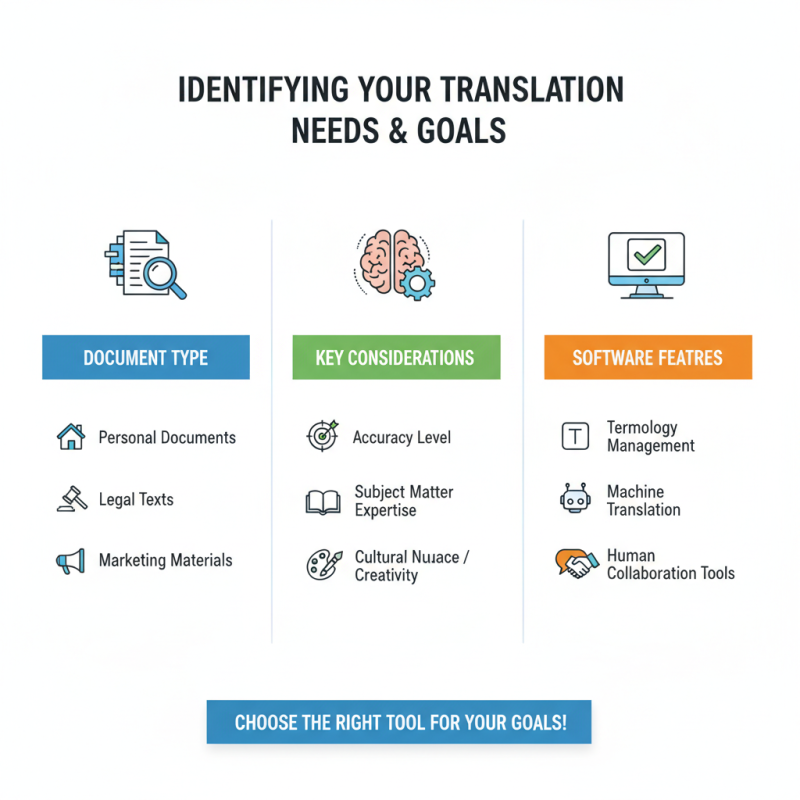
When considering translation software, it's crucial to identify your specific needs and goals. Are you translating personal documents, legal texts, or marketing materials? Each type of content demands a different approach and level of accuracy. For instance, legal translations require precise terminology and understanding of local laws. Marketing texts often need a creative flair.
Understanding the context of your translations is essential. If you aim for speed, you might prioritize ease of use. However, speed can compromise accuracy. Think about your target audience. Are they professionals, casual readers, or clients? For professionals, grammatical accuracy is vital. Casual readers might appreciate a more conversational tone.
Language nuances can be tricky. What works in one culture may not resonate in another. Reflect on previous experience with translation software. Did you face any challenges? Perhaps there were misunderstandings in translations. These insights can guide your choices. Recognizing these aspects can lead to smarter software selection, ultimately aligning with your goals.
Assessing the Key Features of Translation Software
When selecting translation software, key features should guide your choice. Look for accuracy and language support. Your software must handle multiple dialects and languages. This is crucial for businesses dealing globally. Some tools excel in technical translations but lack in casual dialogue. Verify their performance in your specific needs. Test with sample texts.
User interface matters significantly. A clean, user-friendly design can save time and reduce errors. Some software has a steep learning curve. This might frustrate users and lead to poor results. Consider how intuitive the interface is for your team. Check tutorials and customer support availability.
Integration with other tools is often overlooked. Many workflows benefit from connecting translation software with existing systems. Look for options compatible with your current resources. This can boost efficiency and ease of use. Flying blind without integration might cause chaos in project management. Reflect on what features are truly essential for your workflow.
How to Choose the Best Translation Software for Your Needs? - Assessing the Key Features of Translation Software
| Feature |
Description |
Importance Level |
| User Interface |
Ease of use, intuitive navigation, and accessibility for all users. |
High |
| Language Support |
Variety of languages available for translation, including dialect variations. |
High |
| Machine Learning Integration |
Utilizes advanced algorithms to improve translation accuracy over time. |
Medium |
| Collaboration Features |
Allows multiple users to work on translations simultaneously. |
Medium |
| CAT Tools Support |
Compatibility with Computer-Assisted Translation tools for enhanced productivity. |
Medium |
| API Access |
Ability to integrate with other software applications via API. |
Low |
| Offline Functionality |
Capability to work without an internet connection. |
Low |
Comparing Pricing Models and Subscription Options
Choosing the right translation software involves understanding the pricing models available. Many options exist today, from subscription-based models to one-time payments. A notable report by Nimdzi Insights indicates that 60% of companies prefer subscription models for their flexibility. This arrangement allows businesses to scale according to their needs, adjusting their budgets based on usage patterns.
However, some argue that subscription fees can add up significantly over time. A review by Slator states that users often transition between tiers, resulting in unexpected costs. It's essential to review long-term pricing implications before committing. Some services offer user-friendly interfaces but may come with hidden charges that can complicate budgeting.
When evaluating software, consider both the features and the total cost over time. A solution that seems affordable might lack essential capabilities. Conversely, a pricier option might provide better scalability and support. Always weigh initial costs against potential future expenses. Understanding your unique translation needs will help navigate these complexities effectively.
Comparison of Translation Software Pricing Models
This chart illustrates the average cost of different translation software pricing models, highlighting the options available for users with varying needs.
Evaluating User Experience and Interface Design
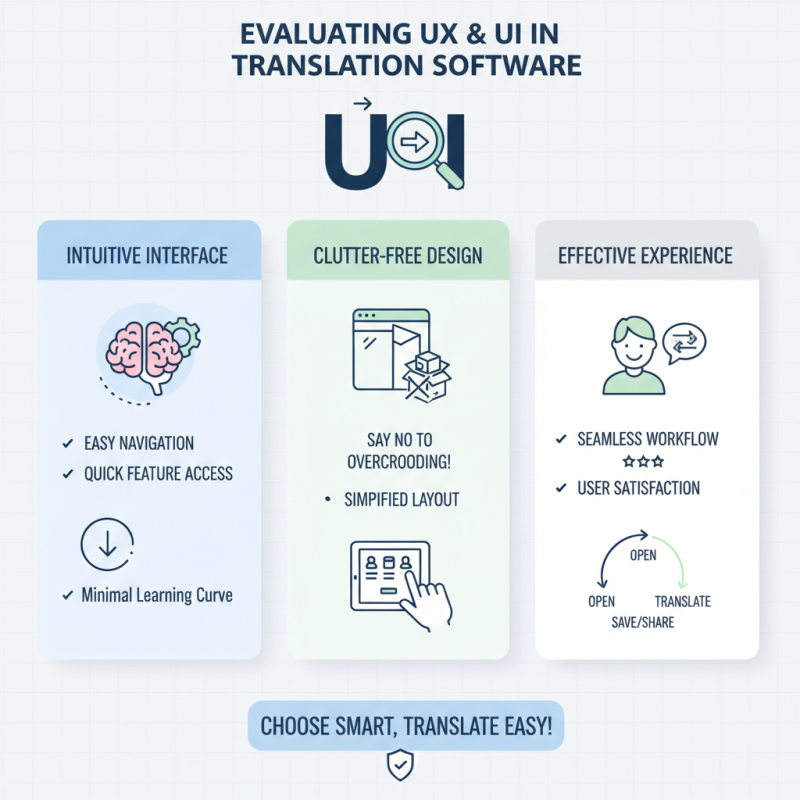
Choosing the right translation software involves careful consideration, especially of user experience and interface design. An effective interface should be intuitive and easy to navigate. When you open the software, you should quickly understand how to access translation features. An overcrowded layout can overwhelm users, making the process tedious.
Tips: Look for software with customizable dashboards. This allows you to prioritize tools you frequently use. Feature toggles can also enhance the experience, enabling you to streamline your workflow based on personal preferences.
One common oversight is assuming that complex features mean better performance. Simplicity can often lead to faster results. Evaluate how many clicks it takes to perform essential tasks. The fewer the better. Detailed tooltips can assist, but excessive pop-ups can annoy users.
Ultimately, the goal is efficiency. Think about the specific needs of your projects. Engaging with trial versions helps identify how well the interface supports your style of working. Prioritize software that adapts to your workflow rather than forcing you to change your habits.
Researching Customer Support and Resource Availability
When choosing translation software, customer support is crucial. It can make or break your experience. Quality support means less downtime when issues arise. Look for platforms that offer multiple ways to reach them—like chat, email, or phone. This accessibility ensures you're never left in the dark.
Additionally, assess the availability of resources. Good software should provide tutorials, guides, and forums. These tools help users maximize the product's potential. A community around the software can offer practical tips you won't find in user manuals. It’s worth noting that not all providers are responsive. Delayed responses can hinder your workflow, so check reviews for insights.
Take the time to evaluate these aspects. Relying solely on features can lead to disappointment. Sometimes, the best software falls short in customer support or community engagement. Choose wisely and consider what matters most to you. Your needs will dictate what support looks like.