Solution for Teams
Engineering
Localize your apps, websites, and games with automated content updates by integrating with your repo
Marketing
Scale your marketing efforts through localization. Connect your marketing tools to automate the process
Support
Create and maintain multilingual support docs and other important content
Designers
Preview multilingual content, customize translations before implementation
Translators
Translate online with all the benefits of a desktop CAT tool
Use Cases
Software Translation
Set an automated process once and receive continuous localization in parallel with development
Mobile App Translation
Localize Android or iOS apps into any language and reach new markets
UI Translation
Localize your product's user interface and create global design
Website Translation
Create a multilingual website by integrating Crowdin and your website's CMS.
Multilingual Support
Translate customer service chatbots, emails, and documentation
Game Translation
Translate your game and enter the international market
E-commerce Translation
Automate localization of your e-commerce website and reach global customers.
Apps & Integrations
Browse 700+ integrations and plugins
AI Translation
Empower your business with an AI translator fine-tuned to your company's needs and get 95% publishable translations
Crowdin Resources Resources on localization services, translation and localization tipsChoosing the right translation management system can shape every stage of a multilingual content program. It affects translators, editors, project managers, and the customers reading the final message. A careful choice may reduce duplicated work, missed deadlines, and inconsistent terminology across websites, apps, and product guides.
This guide presents ten practical tips for evaluating these platforms. It considers workflow design, language support, integrations, automation, reporting, security, scalability, and vendor assistance. Look beyond attractive dashboards. Ask how the system handles a terminology change across 30 product pages, or whether a reviewer can approve translations from a mobile device. Small details often reveal the platform’s real value.
Experience matters here. A tool may promise seamless automation, yet still require careful human review for legal, technical, or culturally sensitive content. No platform solves every problem. That is worth remembering. Teams should test sample files, compare translation memories, inspect permissions, and measure turnaround times before signing a contract. Pricing also deserves scrutiny, because storage fees, user limits, and connector costs can change the final budget.
Reliable guidance should balance vendor claims with operational evidence. Speak with current users when possible. Request a realistic demonstration, not a polished sales script. The best translation management system supports clear accountability while leaving room for professional judgment. These ten tips are designed to help teams make a defensible decision, even when requirements remain incomplete or likely to change.
Choosing a translation management system starts with clear goals, not a feature checklist. Define the languages, content types, deadlines, and quality standards your team actually needs. Start with outcomes. Do you want faster product updates, fewer terminology errors, or better control over external translators? Record current steps, including file preparation, assignment, review, approval, and publishing. Small delays often hide between these stages.
Tip: Draw your workflow on one page. Mark who receives each file, who reviews meaning, and who gives final approval. Include exceptions, such as urgent corrections or missing context. A useful system should support these real situations, not only the ideal process. It should also preserve translation memory, manage approved terminology, and show clear status changes. Keep it visible.
Your workflow may differ by content type. Legal text may require two reviewers, while help content may need one subject expert. Define access permissions and audit records before testing any system. During a pilot, measure turnaround time, revision counts, rejected files, and reviewer effort. Ask translators where the process feels awkward. Their practical experience can expose problems that dashboards miss. That sounds obvious. It is often skipped.
Leave room for human judgment. Automated suggestions can improve speed, but they may weaken tone or introduce inconsistent terms. Test difficult examples, including short interface labels, technical instructions, and culturally sensitive phrases. I would also document one failed handoff. That uncomfortable record may reveal a workflow gap more clearly than a successful project.
A translation management system should solve real workflow problems, not merely display impressive charts. Start with reliable project visibility. Managers need clear views of deadlines, language pairs, reviewer status, and unresolved issues. A searchable translation memory is essential, especially when teams reuse product names, safety instructions, or interface text. Terminology controls matter too. They prevent one technical term from appearing in three different forms.
Integration is another practical requirement. The system should connect smoothly with content platforms, design tools, and file repositories. Manual downloads create delays and increase version errors. According to CSA Research’s 2020 study of 8,709 consumers across 29 countries, 76% preferred products in their own language, while 40% would not buy products in another language. These findings make multilingual quality a commercial requirement, not a cosmetic feature. Look for automated quality checks, role-based approvals, audit trails, and permissions that protect sensitive project data.
Do not trust automation blindly. A useful system should support machine translation, but human review must remain visible and measurable. Quality scoring, reviewer comments, and correction histories help teams learn from repeated mistakes. I have seen dashboards look complete while hiding overdue linguistic reviews. That is a design failure. Test the system with a realistic project, including terminology changes, late source edits, and right-to-left content. Also examine reporting depth. Cost, turnaround time, rework rates, and approval delays should be easy to export and explain. Perfect metrics do not exist. Honest limitations are better than polished confusion.
| # | Evaluation Dimension | Essential Feature | Why It Matters | Questions to Ask During Evaluation | Suggested Priority |
|---|---|---|---|---|---|
| 1 | Workflow Automation | Configurable project workflows | Automated assignment, review, approval, and delivery steps reduce manual coordination and make project status easier to track. | Can workflows be customized by language, content type, and review stage? Are notifications and escalations included? | Critical |
| 2 | Translation Memory | Centralized translation memory with matching controls | Reusable approved translations improve consistency and can reduce repeated work across similar content. | Does the system support multiple memories, match thresholds, access permissions, and import or export of common memory formats? | Critical |
| 3 | Terminology Management | Searchable termbases and terminology checks | Controlled terminology helps maintain consistent product names, technical terms, and preferred wording across languages. | Can users define preferred and prohibited terms? Are terminology warnings displayed during translation and review? | Critical |
| 4 | Quality Assurance | Automated linguistic and formatting checks | Automated checks can identify issues such as missing translations, inconsistent numbers, tag errors, and terminology violations before delivery. | Which checks are available? Can teams configure rules, severity levels, and exception handling? | Critical |
| 5 | Integration Capability | Connectors, APIs, and webhooks | Integrations allow content to move between source systems and translation workflows without repeated copying and manual file handling. | Does the platform provide documented APIs, secure authentication, webhooks, and connectors for the systems used by our team? | High |
| 6 | Collaboration and Roles | Role-based access and collaborative review | Different permissions help protect content while enabling translators, reviewers, managers, and stakeholders to work in the same environment. | Can permissions be assigned by project or language? Are comments, mentions, tracked changes, and audit records supported? | High |
| 7 | Reporting and Analytics | Project, productivity, cost, and quality reports | Reliable reporting helps managers monitor deadlines, workload, spending, language performance, and recurring quality problems. | Can reports be filtered by project, language, vendor, date, and content type? Can data be exported for further analysis? | High |
| 8 | Scalability and Performance | Support for growing languages, users, and content volumes | A scalable system should continue to perform as translation programs expand across markets, teams, and content types. | What usage limits apply? How are performance, uptime, storage, and peak workloads managed? | High |
| 9 | Security and Compliance | Data protection, access controls, and auditability | Translation projects may contain confidential or regulated information, making security controls and transparent data handling essential. | What encryption, identity management, audit logging, retention, backup, and data-residency options are available? | Critical |
| 10 | Usability and Total Cost | Intuitive interface, onboarding, support, and transparent pricing | High adoption depends on a manageable user experience, while transparent costs make it easier to forecast the full investment over time. | How long does onboarding typically take? What training and support are included? Are setup, user, usage, integration, and exit costs clearly defined? | Medium to High |
A translation management system should connect with the tools your teams already use. Review integrations for content platforms, design software, customer databases, and file storage. Confirm whether connections support two-way updates, permissions, and error alerts. A beautiful interface cannot repair a broken workflow.
Tip 1: Test integrations with real project files. Upload a webpage, a spreadsheet, and a design file. Check how formatting, metadata, and comments survive the transfer. Ask vendors about setup time, maintenance, and data protection. Small gaps matter.
Automation should reduce repetitive work without hiding important decisions. Look for automatic task assignment, translation memory, terminology checks, quality alerts, and deadline reminders. Reliable systems show what automation changed and who approved it. Set rules for urgent content, but allow specialists to intervene when context is unclear. Keep it visible.
Tip 2: Measure automation before trusting it. Compare processing time, revision rates, and missed instructions during a pilot project. The fastest workflow may create extra review work later. I have seen teams automate file routing successfully, yet overlook language-specific formatting issues. That mistake was preventable.
Collaboration tools need more than shared comments. Review whether linguists, editors, project managers, and subject experts can work from one current version. Look for threaded discussions, role-based access, change history, and clear approval stages. Test notifications on busy days, not only during a calm demonstration. A system should make responsibility obvious. Test it live.
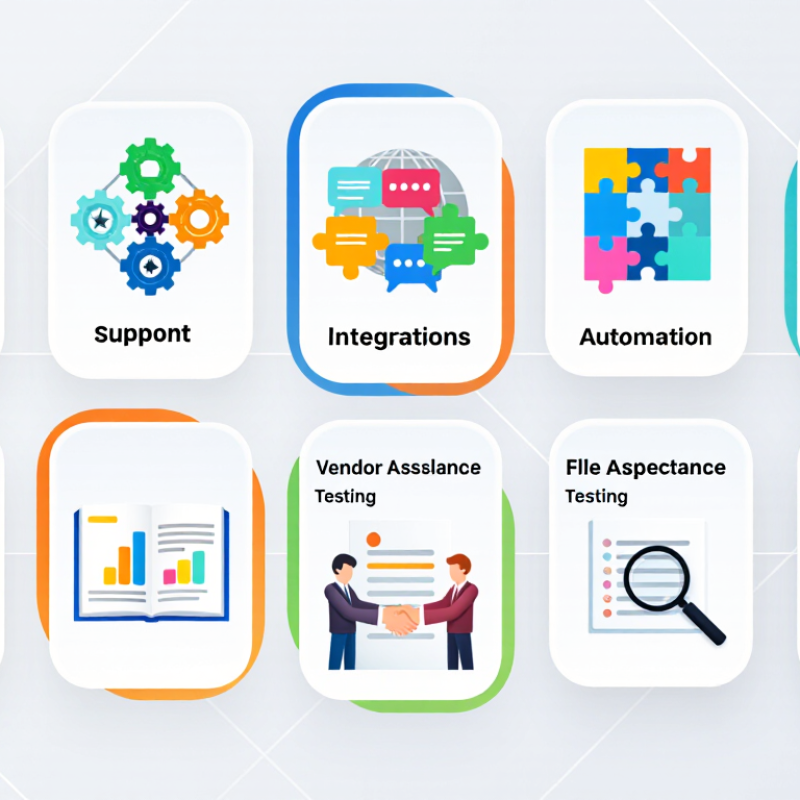
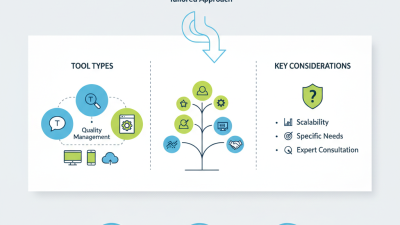
Evaluate integrations, automation, and collaboration tools before making a decision.
This framework groups ten practical evaluation tips into five decision areas: integrations, automation, collaboration, security and compliance, and reporting and usability. Give priority to the areas that have the greatest impact on your translation workflow.
10 Tips for Choosing a Translation Management System
Security should be tested, not assumed. Ask about encryption during transfer and storage, role-based access, single sign-on, audit logs, and data retention. The 2024 Cost of a Data Breach Report placed the global average breach cost at $4.88 million. That figure makes access controls more than a technical preference. Check incident response times, backup testing, subcontractor access, and regional data storage. One overlooked permission can expose an entire project archive. I once trusted a polished security page too quickly. That was careless.
Scalability means more than handling additional users. Measure translation volume, simultaneous workflows, API limits, file sizes, and peak-season performance. The 2024 Language Industry Market Report estimated the global language services market at about $26.6 billion, showing why future capacity matters. Request a live stress test with multilingual files, terminology databases, and review stages. Ask how pricing changes when usage doubles. Cheap growth can become expensive friction. Review recovery targets, queue behavior, and integration limits before signing.
Vendor support deserves equal scrutiny. Require named escalation contacts, response-time commitments, onboarding support, release notes, and documented training. The 2024 State of Customer Service Report linked faster issue resolution with stronger customer satisfaction, but response promises need evidence. Ask for anonymized service metrics and customer references. Test support with a difficult question before purchase. Helpful answers should be specific, not rehearsed. A strong platform with weak support may still fail during a deadline. Reconsider your shortlist after every unanswered question.
Choosing a translation management system starts with the invoice, but the invoice rarely tells the whole story. Ask for a complete cost picture: setup, user seats, integrations, storage, support, and future migration. A low monthly fee can become expensive when teams rely on manual file transfers. Request a written estimate based on your actual language volume, not a polished demo. Include urgent projects and seasonal spikes. Numbers matter. So does clarity.
Usability should be tested by the people who handle terminology, reviews, and deadlines every day. Give a small group a realistic file, a glossary, and one difficult revision. Watch how quickly they find status updates, assign work, and correct errors. Count clicks, but also note hesitation. I once trusted a clean interface too quickly; new users later missed a hidden approval step. That mistake cost time and confidence. Accessibility, training materials, permissions, and responsive support deserve the same test.
Long-term value depends on more than current productivity. Check whether the system preserves translation memories, audit trails, terminology records, and useful reporting. Confirm that data can be exported in practical formats if priorities change. Review service commitments, security practices, and update policies with qualified advisers. Ask how pricing changes after growth, and whether inactive users still create charges. A pilot lasting several weeks reveals more than a scripted presentation. Leave room for doubt. A system can be efficient today and limiting next year.
Crowdin has been translated by volunteers, and some translations might be incomplete. You can help us translate Crowdin into your language by adding new translations or voting for existing ones.
Contribute language Global website