Top 5 Software Localization Tools You Need to Know?
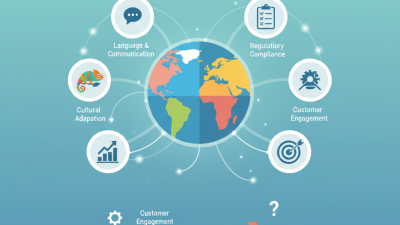
In the rapidly evolving world of technology, the importance of effective software localization cannot be overstated. According to a recent report by CSA Research, 76% of consumers prefer to purchase products in their native language. This data underscores the necessity of using advanced software localization tools to enhance user experience and broaden market reach. Renowned localization expert, Dr. Kate Edwards, emphasizes, "Effective localization is not just about translation; it’s about cultural adaptation."
Software localization tools play a critical role in this process. They streamline workflows and reduce time-to-market, which is crucial in today’s competitive landscape. Many companies still rely on outdated methods, leading to inconsistencies and inefficiencies. As noted by industry statistics, companies that adopt software localization tools can increase their international sales by up to 30%. The challenge lies in selecting the right tools that align with specific needs. Some tools may excel in translation accuracy while others may focus on user interface design.
Investing time in research and choosing the appropriate software localization tools is vital. It’s imperative to reflect on both short-term gains and long-term sustainability. In a world that values personalization, settling for mediocre localization can hinder growth. The choice of tool can make or break a product’s success in diverse markets.

What is Software Localization and Why is it Important?
Software localization is the process of adapting software for different languages and regions. It involves translating the user interface, documentation, and even cultural references. This isn’t a mere translation; it’s about making the software feel native to users. Localization can enhance user experience significantly.
The importance of software localization cannot be overstated. As businesses expand globally, they must communicate effectively with diverse audiences. A localized product garners trust and increases user engagement. Companies that ignore this risk alienating potential customers. They may misunderstand the software's value. It can deter users who prefer their native language.
However, localization is not without its challenges. It can be time-consuming and costly. Missteps in cultural nuances can lead to confusion. Companies may overlook essential details that matter to specific user groups. Reflecting on these aspects is crucial for effective localization strategies. The goal is to bridge language and cultural gaps, fostering better connections with users worldwide.
Top 5 Software Localization Tools You Need to Know
Key Features to Look for in Localization Tools
When choosing a localization tool, key features are critical to ensure success. A report by the Common Sense Advisory shows that 75% of customers prefer to buy products in their native language. This statistic highlights how essential it is to select the right software that addresses various needs.
One vital feature is integration capabilities. An effective localization tool should seamlessly connect with existing software ecosystems. Inadequate integration can lead to a fragmented workflow, causing delays and increased costs. Additionally, support for multiple file formats is crucial. Without this support, teams may struggle to import and export translations efficiently, leading to bottlenecks.
User-friendly interfaces enhance productivity, allowing teams to focus on quality rather than navigating complicated systems. Collaboration features are equally important. According to industry insights, projects with collaborative tools show a 30% increase in speed and accuracy. Lastly, remember that analytics capabilities can provide valuable insights. The ability to track performance metrics can guide future localization efforts, ensuring continuous improvement.
Top 5 Software Localization Tools Overview
Software localization has become essential for global businesses. High-quality localization can significantly impact user experience and product acceptance in different markets. Reports indicate that 75% of consumers prefer products in their native language. This emphasizes the need for effective software localization tools.
Choosing the right localization tools can be daunting. Many options exist, and each has its strengths and weaknesses. For instance, some tools offer advanced features like Translation Memory and glossaries, while others focus on user-friendly interfaces. Integration capabilities are crucial. A tool that easily connects with existing systems can save time and reduce errors.
However, the quality of translation may vary widely due to the nuances of language. Automated translations often miss cultural context. Human oversight remains vital. Additionally, as AI technology evolves, balancing machine efficiency and human creativity poses challenges. Marketers need to reflect on these factors when selecting localization solutions. Reliable resources and industry reports often highlight the importance of ongoing training and updates to maintain the relevance of translated content.
Top 5 Software Localization Tools Overview
| Tool Name |
Key Features |
Supported Languages |
Pricing |
| Localization Tool A |
Real-time collaboration, Translation memory |
50+ |
$30/month |
| Localization Tool B |
Automated workflows, API access |
75+ |
Free plan available |
| Localization Tool C |
Glossary management, Custom workflows |
40+ |
$50/month |
| Localization Tool D |
Offline translation, QA checking |
30+ |
$45/month |
| Localization Tool E |
User-friendly interface, Support for various file formats |
60+ |
Contact for pricing |
Comparative Analysis of the Leading Localization Tools
In today's global marketplace, software localization is crucial. It helps improve user experience by making applications more accessible. Various localization tools are available, each with unique features and strengths. Understanding these tools allows companies to select the best fit for their needs.
When evaluating localization tools, consider user-friendliness. A complex interface can hinder collaboration among team members. Look for tools that offer clear navigation and intuitive design. A good localization tool should facilitate seamless communication and feedback loops.
Tip: Regularly assess your team's workflow. Identify potential bottlenecks that could arise from the tool you choose. This awareness can lead to better productivity.
Another point to reflect on is scalability. As your project grows, the localization tool must adapt. Some tools may excel in small projects but fail in larger ones. Ensuring your chosen tool can handle future demands is essential.
Tip: Engage your team in the selection process. Their insights can reveal specific needs that might guide the choice of a localization tool. This approach fosters ownership and aligns the tool's capabilities with the team's objectives.
Tips for Effective Software Localization Implementation
Effective software localization requires not just tools, but also a clear strategy. Start by understanding your target audience. Research cultural nuances and preferences. This impacts how your software is received. For instance, language idioms can vary greatly. A phrase that resonates in one culture may confuse in another.
Engage native speakers during the localization process. They provide valuable insights into local expressions and slang. Every detail matters—from color choices to symbols. These elements can trigger different emotional responses based on cultural contexts. Also, maintain consistency across all localized versions. Inconsistencies can erode trust.
Empower your localization team with continuous training. The landscape of languages and cultures evolves rapidly. Encourage feedback from users after launching localized software. Analyze this feedback to identify areas needing improvement. Localization is an ongoing process, and adapting is key. Reflect on challenges and adjust strategies regularly. This mindset fosters successful software localization.