Top Translation Memory Software Solutions for 2026 What to Choose?
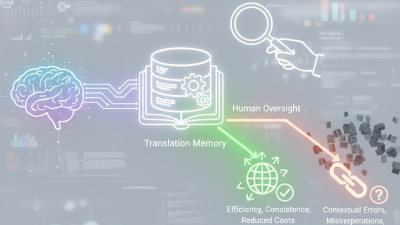
As the landscape of localization and translation evolves, the importance of translation memory software cannot be overstated. By 2026, businesses will face increased demand for accuracy and efficiency in their translations. Translation memory software plays a crucial role in this process. It promotes consistency, reduces costs, and speeds up project delivery.
Selecting the right translation memory software can be daunting. Many tools promise advanced features and user-friendly designs. However, not all solutions meet the unique needs of every team. Reliability is key. A robust software can significantly enhance productivity, but some options may require more effort to master. Users often struggle to find the ideal balance between functionality and ease of use.
Ultimately, choosing the best translation memory software hinges on specific requirements and goals. Some software might excel in customer support, while others shine in integration capabilities. Understanding these aspects can help translators and businesses make informed decisions. The quest for efficiency in translation will intensify, making this choice ever more critical.

The Importance of Translation Memory Software in Modern Localization Efforts
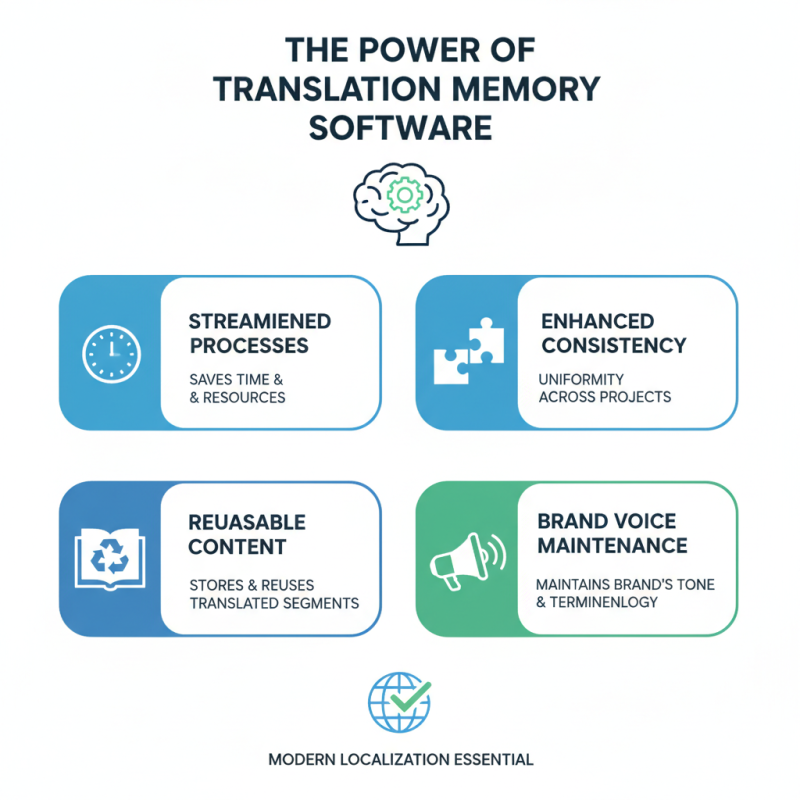
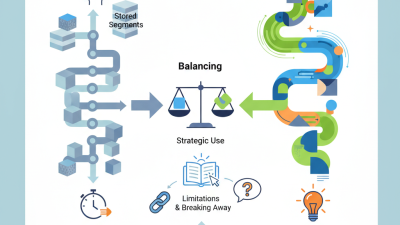
Translation Memory (TM) software is pivotal in today’s localization landscape. It streamlines processes, saving time and resources while improving consistency. By storing previously translated segments, TM software allows translators to reuse content. This ensures uniformity across projects and aids in maintaining a brand’s voice.
The effectiveness of translation hinges on quality and context. Minor differences can lead to significant misunderstandings. Real-world examples show how inaccurate translations negatively impact communication. Companies need reliable software to minimize such risks. However, selecting the right TM solution can be challenging. Various factors, such as user interface and integration capabilities, must be considered.
Localization efforts are more than just direct translations. They involve cultural nuances and audience-specific adjustments. While TM software aids efficiency, human expertise remains crucial. Experienced translators provide insights that software cannot replicate. Therefore, a balance between technology and human input is necessary for outstanding results.
Key Features to Look for in Translation Memory Solutions for 2026
The landscape of translation memory (TM) software is evolving rapidly. By 2026, choosing the right solution will hinge on key features that enhance efficiency and accuracy. According to industry reports, 70% of translation professionals highlight the importance of easy integration with existing tools. This ensures that teams can streamline workflows without heavy disruptions.
Another critical aspect is real-time collaboration. In a recent survey, over 60% of translators emphasized the need for features allowing multiple users to edit simultaneously. This capability not only speeds up the translation process but also fosters teamwork.
AI capabilities are also becoming increasingly vital; solutions that leverage machine learning can adapt to user preferences over time.
Data security cannot be overlooked. A large proportion of companies now face strict data protection regulations. Over 50% of professionals consider secure cloud storage a must-have feature. As we move toward 2026, organizations should prioritize software solutions that meet these growing demands. Addressing these features will pave the way for effective multilingual communication in the future.
Market Analysis: Leading Translation Memory Software Providers and Trends
The translation memory software market is evolving. Analysts predict significant changes by 2026. Trends suggest increased integration of AI and machine learning. This technology enhances translation accuracy and speeds up workflows. Providers focus on user-friendly interfaces and flexible pricing models.
When choosing translation memory solutions, consider usability. A complicated interface can hinder productivity. Look for tools that streamline project management. Take advantage of free trials to test functionality. Understanding your specific needs can guide your choice effectively.
The rise of remote work impacts translation practices. Teams often collaborate across time zones, making cloud-based solutions vital. Efficient collaboration tools are no longer optional. They ensure seamless communication among team members. Always prioritize security features, especially when handling sensitive information.
Top Translation Memory Software Solutions for 2026 - Market Analysis
| Software Solution |
Market Share (%) |
Key Features |
Price Range ($) |
User Rating (1-5) |
| Solution A |
25 |
Cloud-based, Collaboration tools, API integration |
500 - 1500 |
4.5 |
| Solution B |
20 |
Memory management, Glossary management, Customizable workflows |
300 - 1200 |
4.2 |
| Solution C |
15 |
MT integration, Data security, Reporting tools |
400 - 1300 |
4.0 |
| Solution D |
30 |
On-premise, Scalability, User-friendly interface |
700 - 2000 |
4.7 |
| Solution E |
10 |
Mobile compatibility, API features, User support |
200 - 800 |
3.8 |
Evaluating Cost-Effectiveness of Translation Memory Tools for Businesses
When evaluating translation memory (TM) tools, cost-effectiveness is a key consideration for businesses. Recent studies indicate that organizations can reduce translation costs by up to 40% when utilizing TM software. This reduction is primarily due to the reuse of previously translated content. However, it’s essential to understand that just investing in any TM tool may not yield significant savings.
Not all TM solutions deliver equal value. Companies should assess features that align with their specific needs. Data from industry reports show that 70% of translators prefer tools that integrate seamlessly with other applications. Integration can improve workflow efficiency, saving both time and money. A lack of proper integration might lead to redundant efforts and higher costs.
Moreover, businesses often overlook the hidden costs of TM tools, such as training and ongoing support. The initial software price can be deceptive. Reports reveal that organizations might spend an additional 20% on training and maintenance. It’s crucial for businesses to perform a comprehensive cost-benefit analysis to maximize their investment. A thorough evaluation can identify potential pitfalls and highlight opportunities for greater savings. This approach ensures businesses select the most effective TM solution tailored to their operational needs.
User Experience and Integration Capabilities of Top Translation Memory Solutions
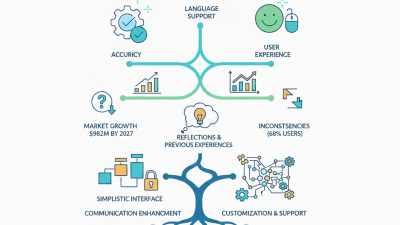
When choosing translation memory (TM) software, user experience is crucial. A clean interface allows translators to work efficiently. Intuitive navigation reduces learning curves. Important features should be easily accessible. Integration capabilities also play a vital role. The best solutions allow seamless connection with other tools. Having a streamlined workflow saves time and effort.
When evaluating TM solutions, ask yourself: Does it fit your workflow? Test features through trials. A robust system will accommodate your needs. Prioritize software that supports collaboration. Team projects require smooth sharing of resources. Look for features such as real-time editing and commenting.
Tips: Always consider system compatibility. Ensure the software aligns with your existing tools. User support can make a difference. Reliable customer service can help resolve issues quickly. Additionally, check for regular updates. Continuous improvements in TM software can enhance your translation process.